
As part of my school year, we had to build an app using Spotify’s data to compare artists.
STEP 1 – RESEARCH
When I first looked at the brief, I wasn’t sure exactly what was expected. So I looked online for inspiration. On Spotify for Developers, there are examples of projects that have been done, and one seemed to be pretty close to what was asked: https://playpopcon.com/. It’s a game based on the popularity of artists, you pick which one you think will win, and you gain points if you guessed right.
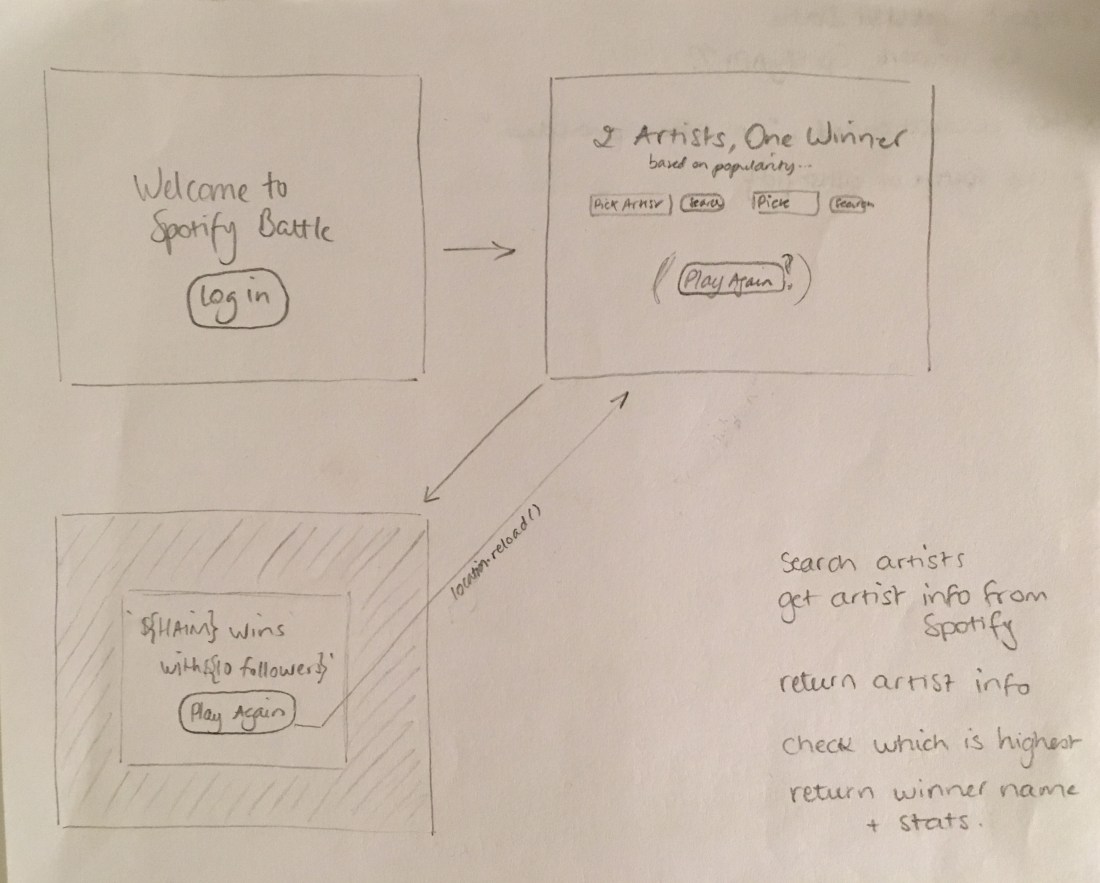
So I started my wireframes and brainstorming based on this idea. Here’s what I came up with:


The problem is, this is not really what the brief asked. So this researched helped me find my colours, and have an idea of what the general interface would look like, but I wasted a lot of time trying to figure out how to keep score, have the option to share it on social media, etc.
After we talked about it in class, I decided to drop all this and make it way simpler. I also realised that I was making it more complicated than needed and that I couldn’t even link Spotify to my code to access its data…
So here’s what I decided to go for:
STEP 2 – CODE
Much simpler, and yet still much harder than I expected! The HTML part was fine, so was the CSS (even though it’s not the most exciting design ever, it’s functional).
I decided to pick as a criteria the Popularity. I was also interested in the number of followers, and decided to keep it as an option: if I managed to make that part of the code work, I would only need to replicate it and tweak it a bit.
I then started looking at all the files we had been provided with, trying to make sense of what everything was. As we had seen in class last year, the best way to program is to write down in plain English what we want to happen, and then translate it into JS. Much easier said than done!
The first difficulty I had was to set everything up: I had to ask my teacher a lot of question as nothing seemed to go my way: I was getting error messages when trying to npm install, missing comas, etc… It was quite frustrating!
But once that was done, it was on to the fun part… Or so I thought! But linking the app to the Spotify API proved to be trickier than expected. I tried to find examples online, looking at code and YouTube videos but whatever code was used never worked when I tried to adapt it to my own code…
In the next class, Ian, my teacher, helped me connect it to Spotify. My real problem was that I hadn’t realised you needed the bit of code identifying you every time you tried to access data on Spotify. Once that was sorted, I could easily get the info I needed.
The next tricky part came when I had to compare that info: while I could easily get it, I wasn’t sure how I could use it outside of the functions I was writing. Once again, the help came from Ian: it had slipped my mind you can declare a variable globally, setting it to null in this example, so that you can access it within each function.
Once that was done, it was quite easy to write code to compare the data received. Since I had compared the popularity, I could also add another criteria to make it a little bit more interesting, so I chose to compare the number of followers.
Which is where I got stuck. Again. When comparing numbers such as 13.500 and 457, it would return 457 as being the biggest number. I asked another girl in my class, who was also comparing the number of followers, if she had the same problem, or whether I had made a mistake in my code. She did have that problem too.
At first, I thought padding the smaller number with zeros would work, but after explaining my problem out loud to my brother, I realised it was a stupid idea: obviously, it wouldn’t work as it would then compare 0 to the other number. I then remembered that we saw a similar problem in class, resolved by using a – b, which is why I decided to use “if followers1 – followers2 > 0, return followers1”. Which worked! Oh, what a glorious feeling when things actually go your way!
Since everything was working, I then made my code a bit neater and added an alert in case users were trying to start a battle without having picked 2 artists. I wanted to tackle the 401 error too: basically, after an hour or so, the user is timed out, but instead of getting a message saying so, or being redirected to the login page, everything just stops working. So I tried to fix it but didn’t figure out how.
STEP 3 – PUSH
Next problem I faced… Putting it on GitHub and Heroku! After changing the base_url from localhost to https://the-spotify-battle.herokuapp.com/, I encountered a 404 error. Authentification, again! It’ll be the death of me!
After trying to make a few changes, like renaming the folder “public” to “docs” and using master branch/docs folder (on GitHub), I decided to have a look at the files outside of public, to see if I really needed them. And discovered that I really did need them: app.js is a very important one when deploying the app, as I needed to change the name of the path! After updating it to Heroku’s address, and pushing it to Heroku, it worked there. So I then tried to update the address to the one of my GitHub page, but once again no success. But since having it up on Heroku is enough, I’ll keep my sanity and stop trying to change everything to make it work!
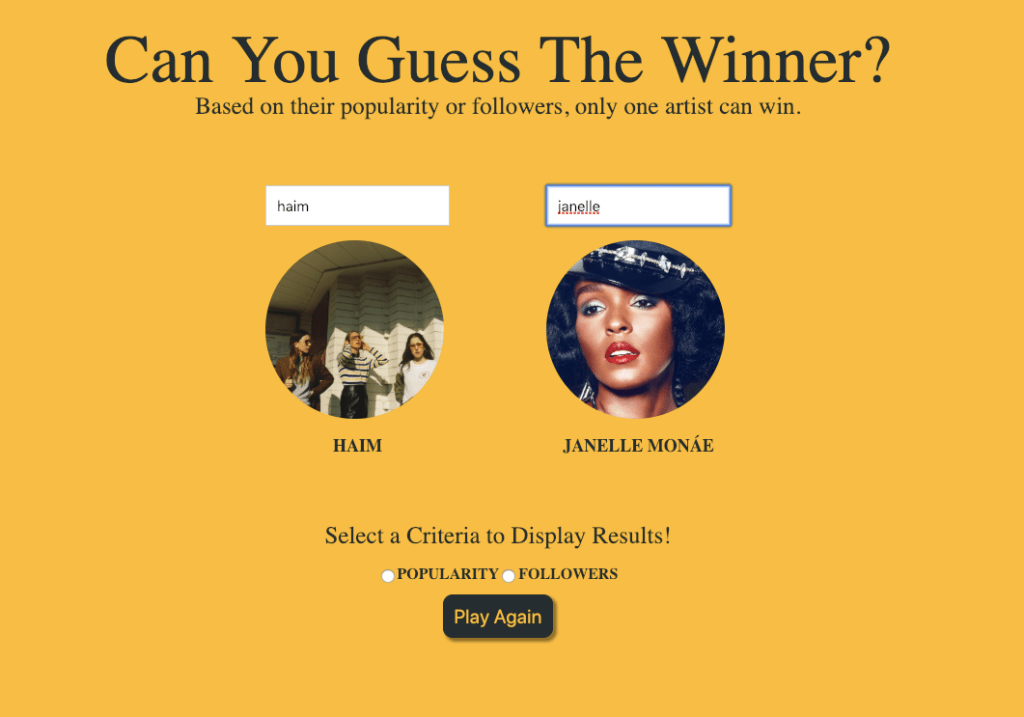
Here’s the final design of it:
CONCLUSION
This project brought me so much frustration: there’s nothing worse than that feeling of being dumb, that nothing works and that I don’t even know why I’m studying Web as I’m obviously not good enough… But then it starts working and it’s such a good feeling, and I realise that maybe… maybe I’m not that bad!
If you’d like to play… go check out the app! https://the-spotify-battle.herokuapp.com/
 My Journey in Web Design
2 thoughts on “Spotify Battle App”