

Below, you can see my final prototype!
As you can see, it isn’t that different from the current Home page, as I don’t want to confuse the users with too much change.
What’s new?
- A “Budget” button, that you can choose to use or not: if you want to search by destination and date as many people would usually do, leave that button alone (it’ll be set on “€-“), but if you do decide to search using budget as your main criteria, you’ll be able to do so.
- Fly to “Anywhere”. Once again, you don’t have to use this widget, but by having it properly displayed on the Homepage, users will know that this option is available, and won’t discover it many years down the line, stumbling upon it when they decide to have a better look at all the features of the menu.
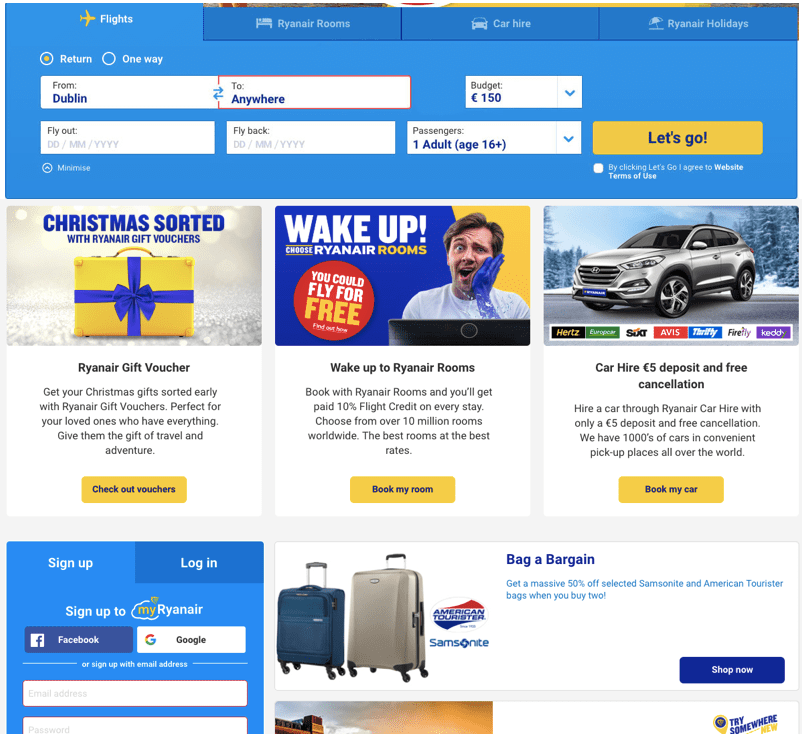
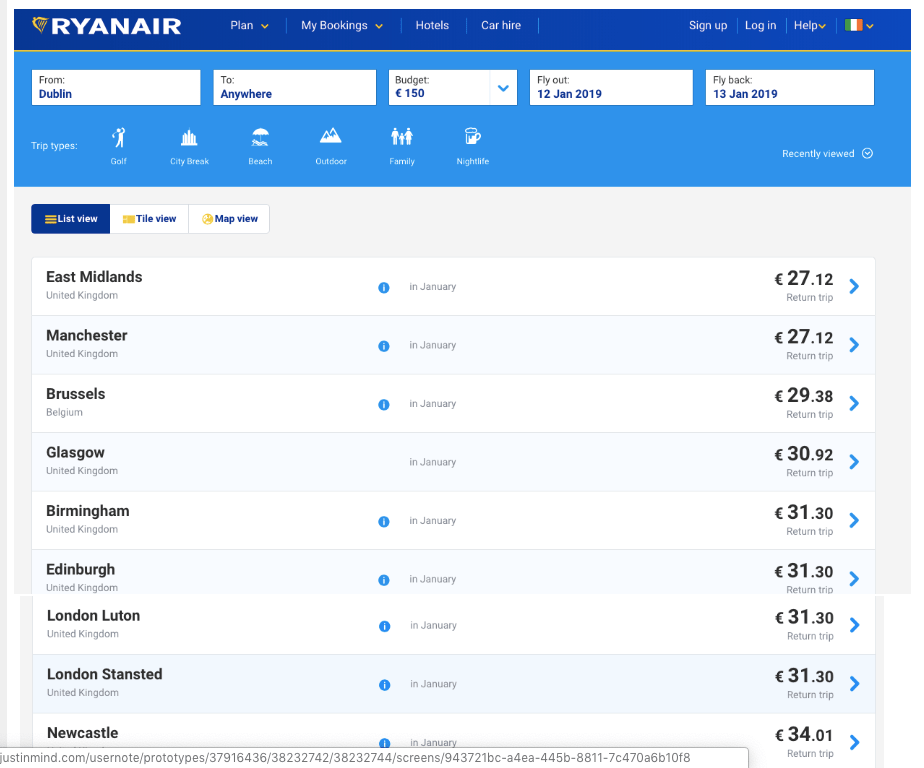
Those small changes shouldn’t be too hard to implement, nor cost too much, therefore I suggest we add them as soon as possible so that our customers may start booking more flights with open destinations!
I actually had dinner with a friend of mine a couple of nights ago and casually asked her if she knew about this tool, she didn’t and was flabbergasted it actually existed on Ryanair’s website. She said she would definitely use it next time. You’re welcome, Ryanair!
Here are a few articles I found by people using the Fare Finder tool and recommending it:
- 3 easy steps to use Ryanair fare finder for cheap flights
- Want to take a cheap trip or stuck for ideas? – This tool could come in handy
In the second article, Tom says that he stumbled upon the tool, and thinks it is very recent as, if he had known about it previously, he would have been using it all the time. The way he discovered it was through an offer that was emailed to him, a case similar to Cassie (one of my guinea pigs). His article was published in 2015, and based on my research, the tool was launched in 2013. Another example of a customer who could have been happier for 2 years, had the tool been launched/displayed more effectively.
Quote from this article:
“6. Use Ryanair’s fare finder and Aer Lingus ‘anywhere’ search
These are really useful tools if you are just looking for a break away and don’t care where you go. You can select specific dates or a particular month and narrow the search to beach, city break, nightlife, family etc. You will see a list of the cheapest prices for the time you wish to travel. Aer Lingus’ search is clear on the home page but Ryanair’s is not as easy to find, so click here. Skyscanner’s everywhere search is also great, particularly if looking to go somewhere further afield.”
This proves my point, thank you.

